HDR with Lightroom 4

DSCF0199-58-2012-03-9-07-44.jpg
I am really liking a lot of things about the new Lightroom 4! Adobe came through with many improvements and additions, but I won’t go into those, here. Suffice it to say that I consider it a must have for serious photographers … AND, they lowered the price, too!
The above image is a “single-image” HDR, processed using LR4. Total time in LR was probably only 3 or 4 minutes.
LRHDRsettings-2012-03-9-07-44.jpgI had originally underexposed this image, using the Fujifilm X100, because I knew I really wanted to get the colors in those clouds, but Lightroom was able to save the photo. The “new” sliders in Lightroom 4 made this possible, using the settings shown here. What surprised me the most was just how much of the shadow detail I was able to salvage from what was an underexposed image. (See the original image, below)
The processing did introduce a bit of noise, as expected, but again LR 4 came through with about a 50 setting on the noise slider.
Another nice thing about this processing is that it seemed to give me a much more “natural” looking image without that somewhat over processed look that sometimes results from HDR work.
At $79.99 for the upgrade and $149.99 if you’re new to Lightroom, I don’t think you can go wrong.
DSCF0199-2012-03-9-07-44.jpg

Light Painting with the Fujifilm X100

You’ve seen many examples of “light painting” around the web. However, I think the best I’ve seen was by Dave Black. He also wrote a great article about techniques he uses when doing this, and you can find it on the Nikon website.
What is involved with light painting is using a hand-held light source, commonly a flashlight, but it could be about anything. Essentially, you use a long exposure and then selectively light your subject with the flashlight to attain the effect you are looking for. It’s a bit of trial and error, since your metering system is mostly useless and may, therefore, take several exposures before you get a satisfactory result.
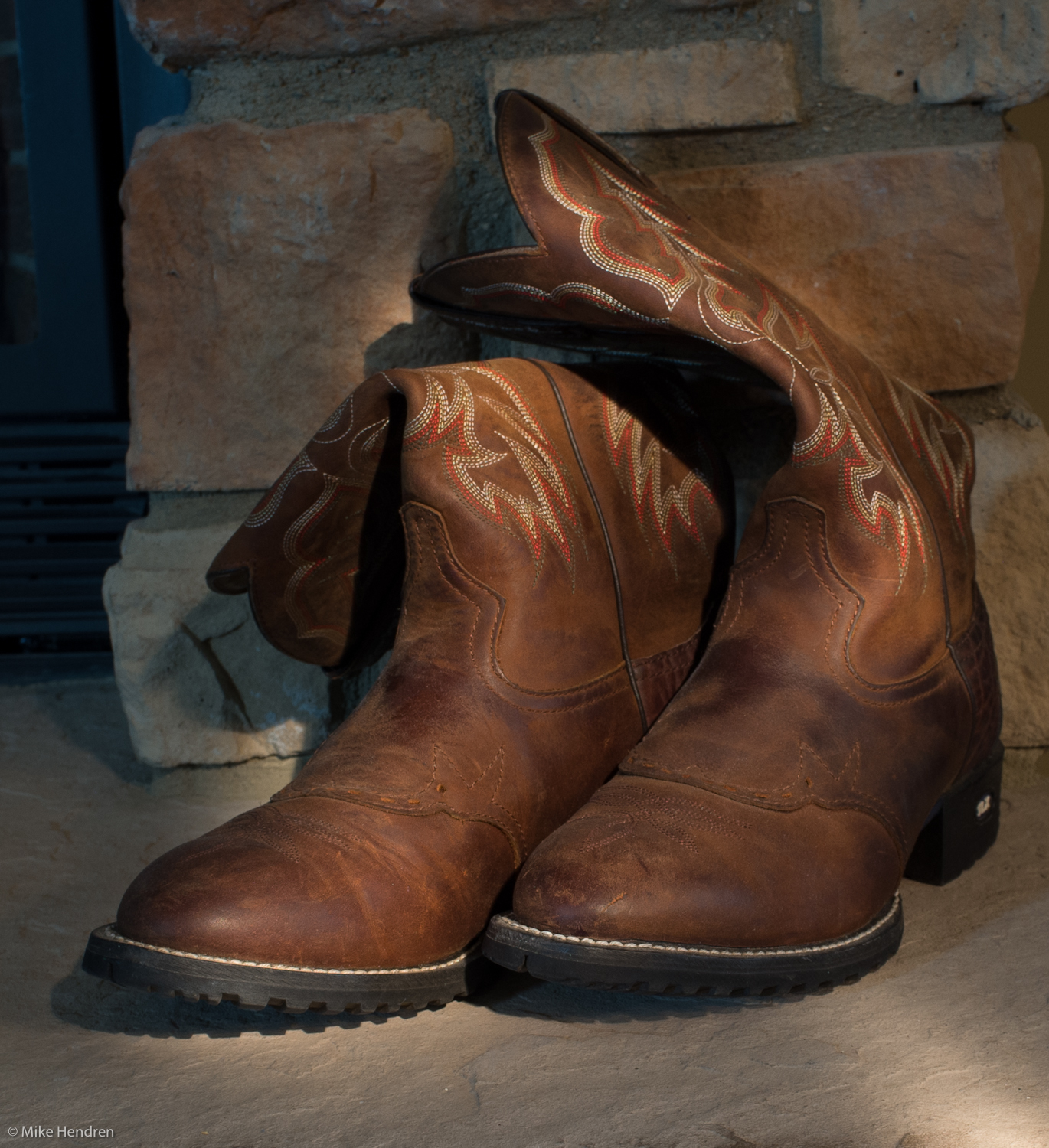
For this image of “boots”, I set up in a darkened room with my X100 on a tripod. Then, with the lights on, I set the focus and made sure it was in manual focus for the shot. Finally, with the lights off, I achieved this result with a 5 second exposure at f/8.
What’s really fun is to take a look at the RIT (Rochester Institute Technology) annual Big Shot! They’ve been doing this for quite a few years, and had over 1,000 people helping with the lighting on last year’s project. This way, they are able to add lighting to an impossibly large area for their photograph. It’s really amazing so check it out! ☺

Fujifilm FinePix X100
Lightroom 4 (beta)

Auto HDR with the Sony NEX-7

Sony’s newer cameras have been offering an in-camera HDR (high dynamic range) function.

When you select this “auto HDR” mode, you can also set the EV (exposure value) range from 1 to 6. This is a total range and not the spacing between each of the 3 images it will shoot. So far, I’ve just been using the 6 EV range and been quite happy with the results.

When this mode is selected, the camera takes 3 quick images with the proper over/under exposure values and then combines them, automatically, to produce an HDR image. One nice thing it also does is to save the normal exposed image in addition to the HDR. This allows you to have at least the normal exposure in  case you’re not pleased with the HDR.

At first, I was skeptical and then not particularly impressed with the output. The images had a flat look that seemed to lack contrast and color saturation. However, as I began to work with the HDR images, I found that just a bit of post processing could correct that. And, in retrospect, it actually makes sense. The HDR image was doing what it was supposed to do … i.e. save the highlights and shadows for you, such that the detail information was preserved.

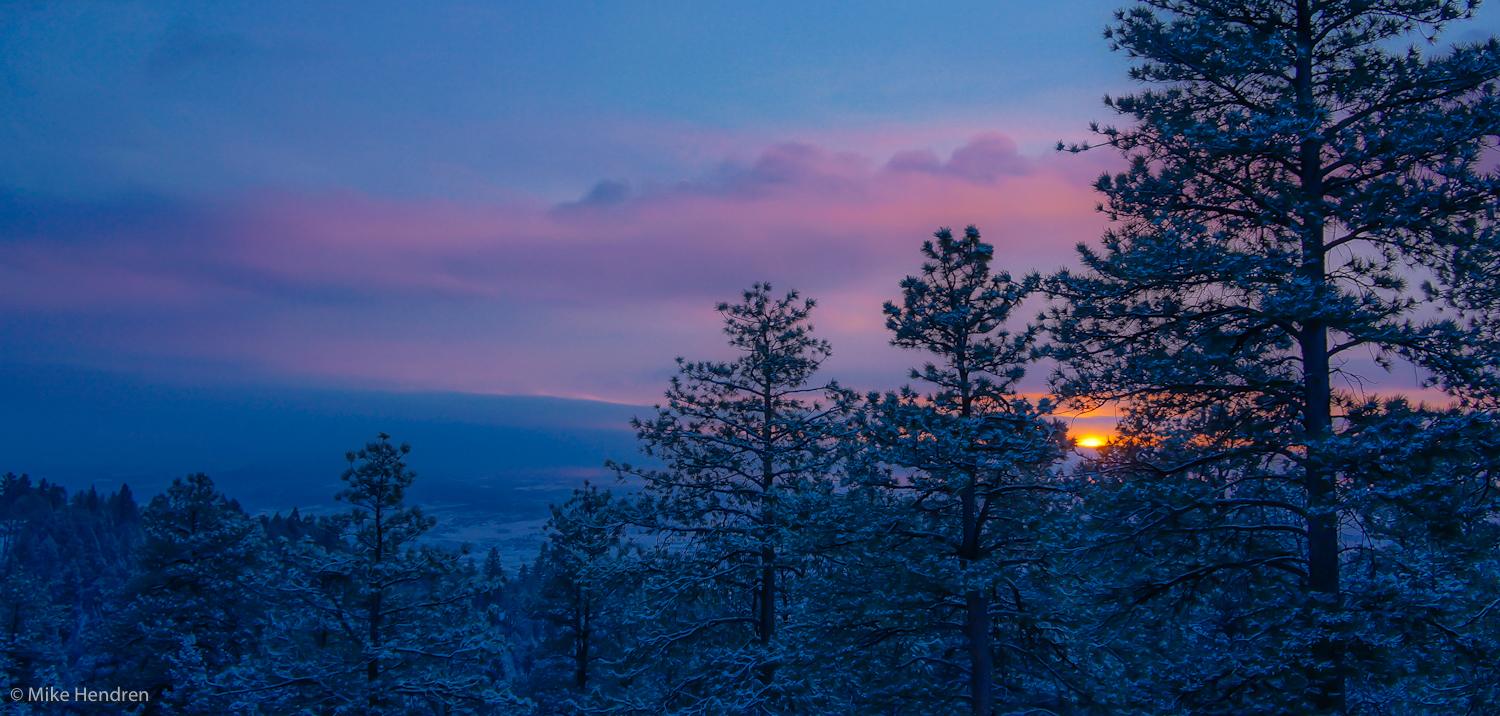
In this sunrise image, the auto HDR worked great. It preserved the detail in the brighter clouds, didn’t allow the sun to be completely blown out, and also saved the shadow detail in the trees.

It seems, the more I use it … well, the more I use it. 🙂 What I mean by that is that as I become more adept at working with the HDR image it produces, I find I am more likely to use that feature. There’s really not much to lose – if the auto HDR doesn’t produce for me, I always have the normally exposed image to work with.

So, if you have an NEX-7, give it a whirl – I think you’ll like what you see!

Sony NEX-7 w/Sony 18-200mm OSS; auto HDR
Lightroom 4 (beta)

Macro with the Sony NEX-7

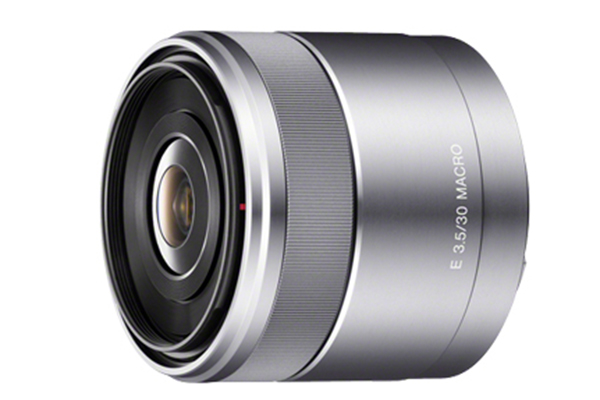
I just recently acquired the Sony NEX-7 and I am loving the camera! Even more recently, I got the Sony 30mm f/3.5 Macro lens to go with it. This is the E-mount lens and is relatively small and light (just under 5 oz.) so it fits nicely with the NEX-7.
After only a few shots, I am very pleased with the lens. It is very sharp with great color and contrast as you can see in the image of pins above, and the detail is truly amazing! These pins are of course very small to begin with, but in this image, you are able to pick out the tiny imperfections in the shafts of these pins.
Naturally, at 30mm, you must get very close to your subject in order to achieve the maximum 1:1 magnification … something less than an inch from the front of the lens. So it follows that it is not an ideal lens for live insects, plus you must be very careful of lighting since you can easily cast a shadow on your subject.
Build quality is excellent and the focus ring operates very smoothly. Focusing is very quiet and it also allows for Direct Manual Focus, which can be very helpful when shooting macro.
Overall, an excellent lens for a reasonable price at $250 (retail).

Balancing Act

There was a big, bright full moon on Feb. 7th, so I hoped to get a great photo, but the clouds intervened. So, I did the next best thing…I took a daylight shot and made it look like a moonlight shot!

The next morning after the sun was well up, about 9:30 a.m., I took this photo. Then the fun started.

I almost always shoot in RAW because it gives me a few more options “after” I get the image on the computer and this was one of those cases. In Lightroom (4 beta), I just changed the white balance setting from “as shot” (which was daylight) to “tungsten”, which resulted in this bluish hue. I think it makes it look like it was taken at night under a bright moon instead of during a bright, mid-morning daytime.

We all know that colors can be manipulated, even with a jpg. However, this can sometimes result in added noise in the image. The big benefit of using a raw file and adjusting the color temp/white balance is that it is non-destructive and introduces no noise into the image.

Another thing I’ve learned is that with the newer Sonys (and many other cameras, I’m sure), is that you can actually preview this effect in the viewfinder before you even take the shot…nice!

Sony a65 w/Sony 16-50mm

NEX-7…I’m Loving It!

 I’ve only had the Sony NEX-7 for a couple of days, but I’m liking every part of it. I’ve read a lot of “rave” reviews and, mostly in forums, a lot of negative comments. But, from my perspective, it is a terrific camera!
It has 24 Megapixels with excellent higher ISO capability, 10 frames-per-second, lots of in-camera processing features (my favorite is the auto hdr), and size…it is so small and light! With the 16mm pancake lens it will fit in my pocket.

Some naysayers say that with the larger lenses like the 18-200mm, the size is no longer a factor, but it’s still much smaller and lighter than a normal DSLR with an 18-200 zoom on it, so I can live with that.
Sure, there is a shortage of E-mount lenses available (for now) but there are several adapters that allow you to use many amazing lenses made by other manufacturers. In fact, the Sony alpha-mount adapter even adds phase-detection focusing to the mix!
The other thing is the “Tri-Navi” control system. You pretty much have to try it to appreciate it, but it gives you very quick access to most of the settings you would use while shooting, like:
  • program shift, exposure compensation, and ISO
  • Image quality and auto-HDR settings
  • focus and metering
  • white balance
  • and more
All without ever having to take your eye from the viewfinder…very nice!
And, speaking of the viewfinder, this new EVF (Electronic ViewFinder) is truly amazing. I know, it’s not on a par with a good optical viewfinder in all situations, like bright contrasty light or in low light situations. However, it gives you something that not even the best optical finders can provide – WYSIWYG. In general, what you see in the viewfinder is what the image will look like on your computer. Adjust the exposure or white balance and, instantly, you see how that image will look with those settings. In my opinion, that is very important! Some say, “Pro photographers don’t need that”. Well, maybe not, but I bet even the pros will get more and more enthusiastic about this capability as it is improved and more cameras have it.
These images are from Sedalia, Colorado. They were shot, using the auto-HDR feature of the NEX-7 with a total of 6 EV spacing in 3 images. Then most of the processing was done with Lightroom 4 (beta) and the Spicify preset in Topaz Adjust.
These were with the new 18-200mm E-mount Sony lens and I’m very happy with it – great color and sharpness.
Thinking of switching cameras? I don’t think the NEX-7 would disappoint you! 🙂

Perfect Photo

No, of course this isn’t the perfect photo. However, it was processed with onOne Software’s Perfect Photo Suite 6.

I’ve had the software installed for a couple of months, but this is the first time I’ve taken a close look at some of it’s capabilities. Still, I only used one of the six modules, the Perfect Effects.

This is a perfectly white pitcher with no defects in the finish. So, using the Perfect Effects module, I selected the Textures tab and picked the “Cracked Paint” preset. The beauty of Perfect Effects is that it not only has over 300 presets available to you, but those presets are very flexible with options to change several of the settings.

As the name implies, Perfect Photo Suite 6 is a suite of six modules:

  • Perfect Portrait
  • Perfect Layers
  • Perfect Effects
  • Perfect Mask
  • Perfect Resize
  • Focal Point
These various modules give us photographers some terrific tools for solving some of the processing problems we face with different images, plus a huge variety of creative effects to take those photos in new directions.
Check it out – I think you’ll like it!
Sony a65 w/Sony 16-50mm