Waiting Game – Olympus PEN E-P5 Release Delayed

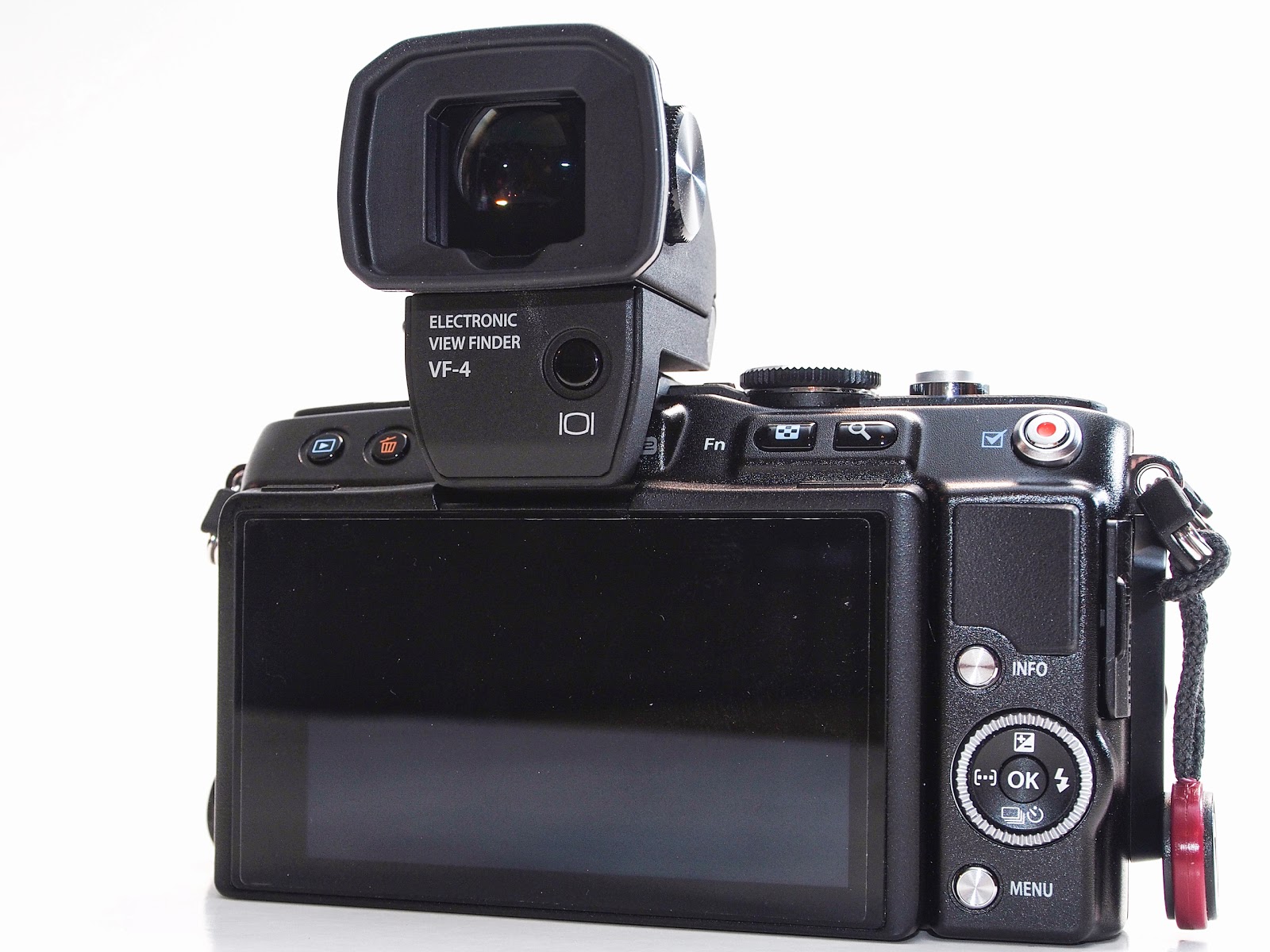
I ordered the E-P5 the day it was announced from Amazon and have been waiting for almost two months … nothing yet.  Initially, Amazon showed a release date of June 21st, but then on June 21st they informed me the release had been delayed to sometime between late July and late August.  So, what does one do …… Get the E-PL5 and stick the new VF-4 external EVF on it!  🙂

The E-PL5 is a very nice little camera but I miss the control dials that are on my E-M5 and coming on the E-P5.  Image quality is of course pretty much the same as the E-M5 (same sensor) and the menus are nearly identical with just a few differences.

As for the VF-4, it is very nice!  The higher resolution is a bonus and the larger view is wonderful.  I don’t really like the look of the camera with the VF-4 sitting on top, but I much prefer a viewfinder for composing shots instead of using the rear screen, so I’ll make the sacrifice.  It looks a bit fragile and vulnerable up there, but it actually attaches very securely, by plugging into the accessory port and also the hot shoe.  Another nice feature is that it will rotate up 90 degrees, which can be a big help when composing shots with the camera close to the ground.

Hopefully, the E-P5 will show up in the next 3 or 4 weeks at which point I’ll be putting up my first impressions and images from the new camera.

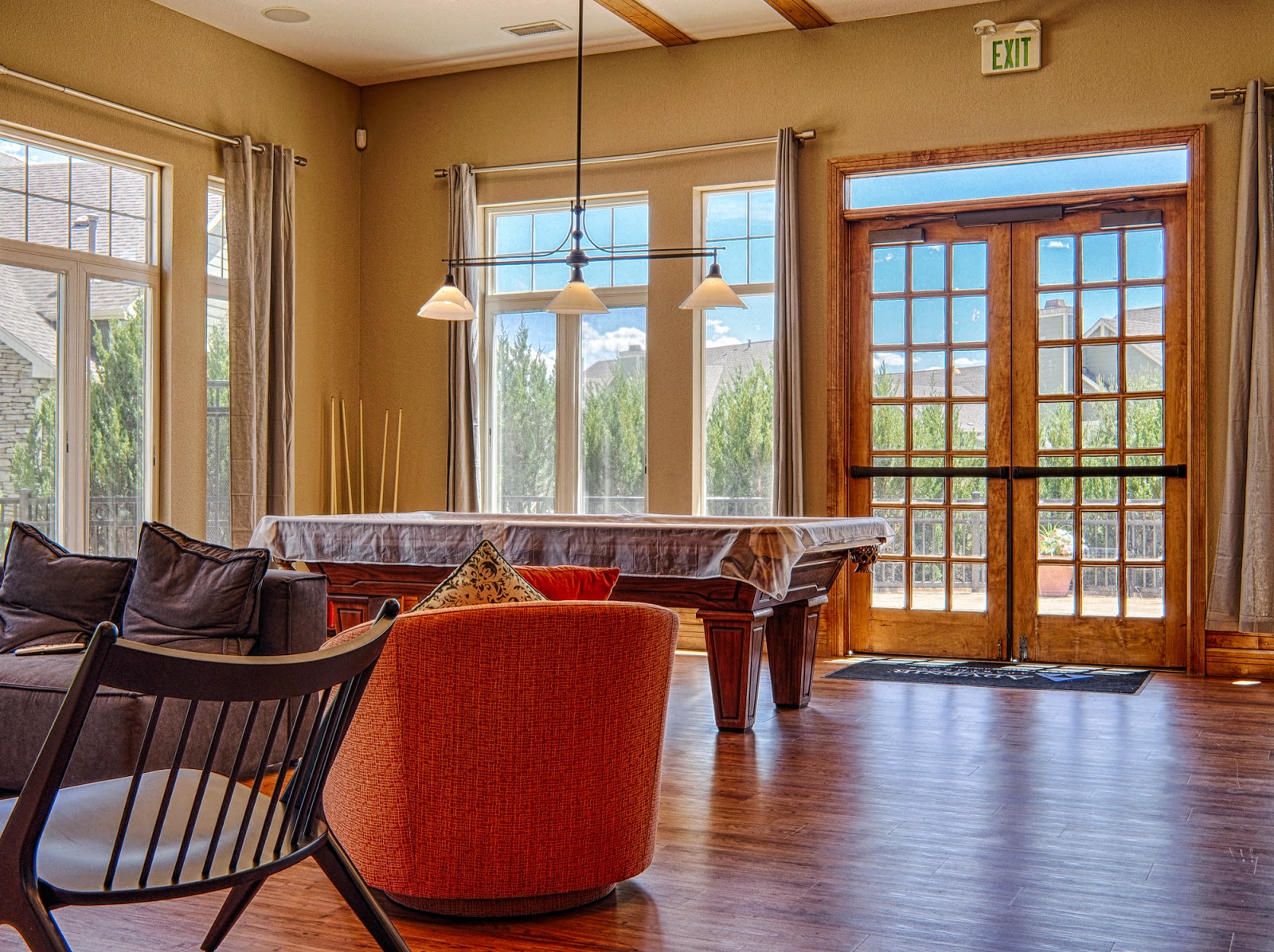
Below are a few of the initial shots with the E-PL5.  The first one is an HDR from 5 images at 2EV spacing and processed in Nik HDR Efex Pro.

Musings from Castle Pines

As a society, I think we’re getting just a little bit spoiled … especially here in the good old U.S of A.  And I’ll be the first to admit I’m as bad as anyone.  For instance, when I need to get our one and only car serviced, Big O Tires is kind enough to offer me a ride home so I don’t have to wait in their lounge. So far, I haven’t taken advantage of this courtesy, but then I only live about 300 yards from the shop.  🙂

Another wonderful convenience is the “drive-thru”.  Virtually all of the fast food chains have one and even one of our local Starbucks Coffee Shops is willing to oblige anyone who is just in too big a hurry to take the time to park, walk inside, and wait in that line.
Actually, on a side note, I’ve felt pretty “inconvenienced” ever since we left Florida back in 1973.  Not far from our house was a drive-thru where you could get milk, bread, eggs, and even a six-pack of beer if you were thirsty.  I haven’t seen one of those wonderful services since.

As I sat there at a small table on the Starbuck’s patio, I happened to notice a small camping trailer driving by.  It was really cute, shaped like a tear drop and probably no more than about 15 feet long.  I probably should have done this image in color because it was mostly shiny aluminum with some very bright orange trim all around.
I sure would like to get up in the mountains for a week or two of camping, hiking, and fishing … oh, and photography of course!

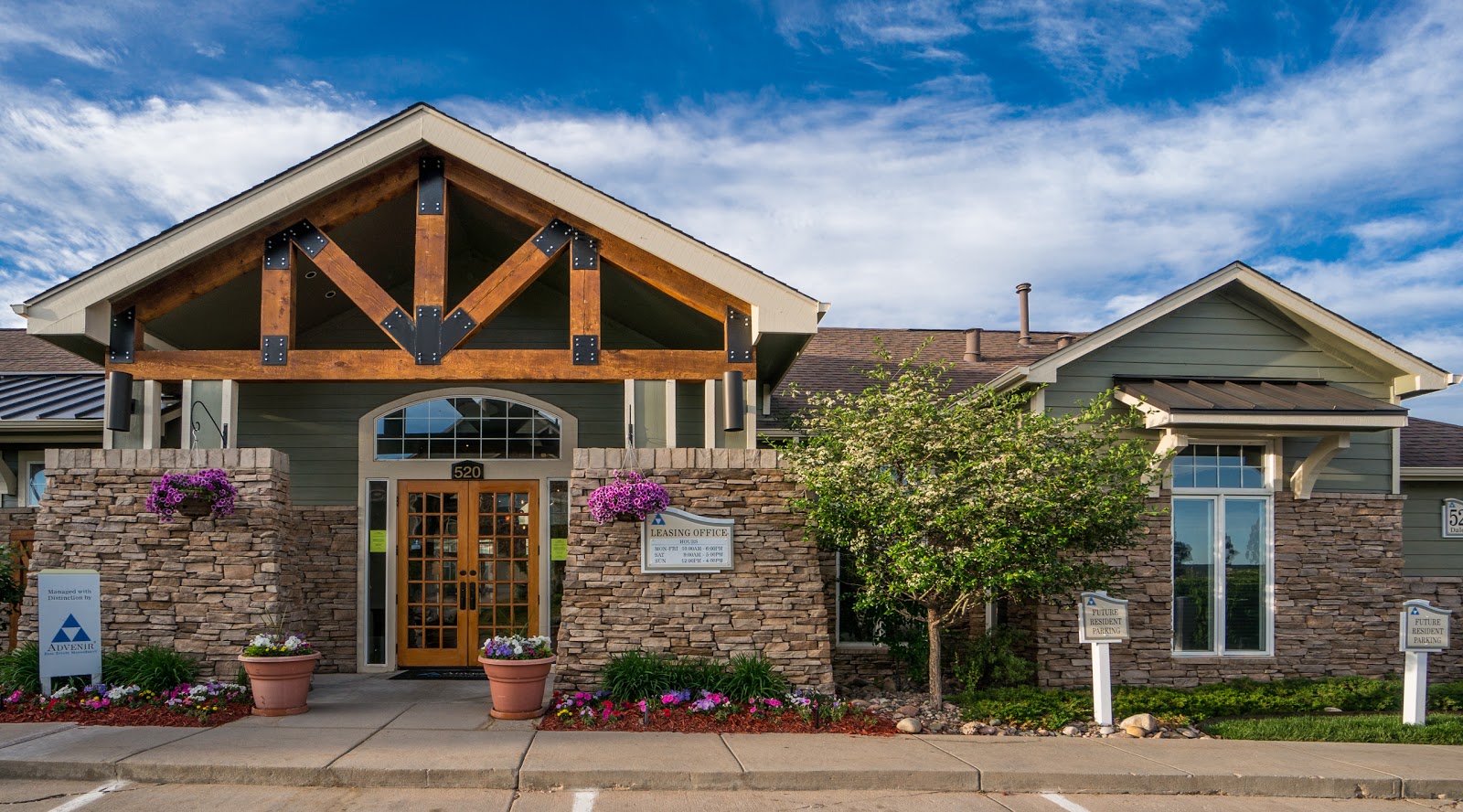
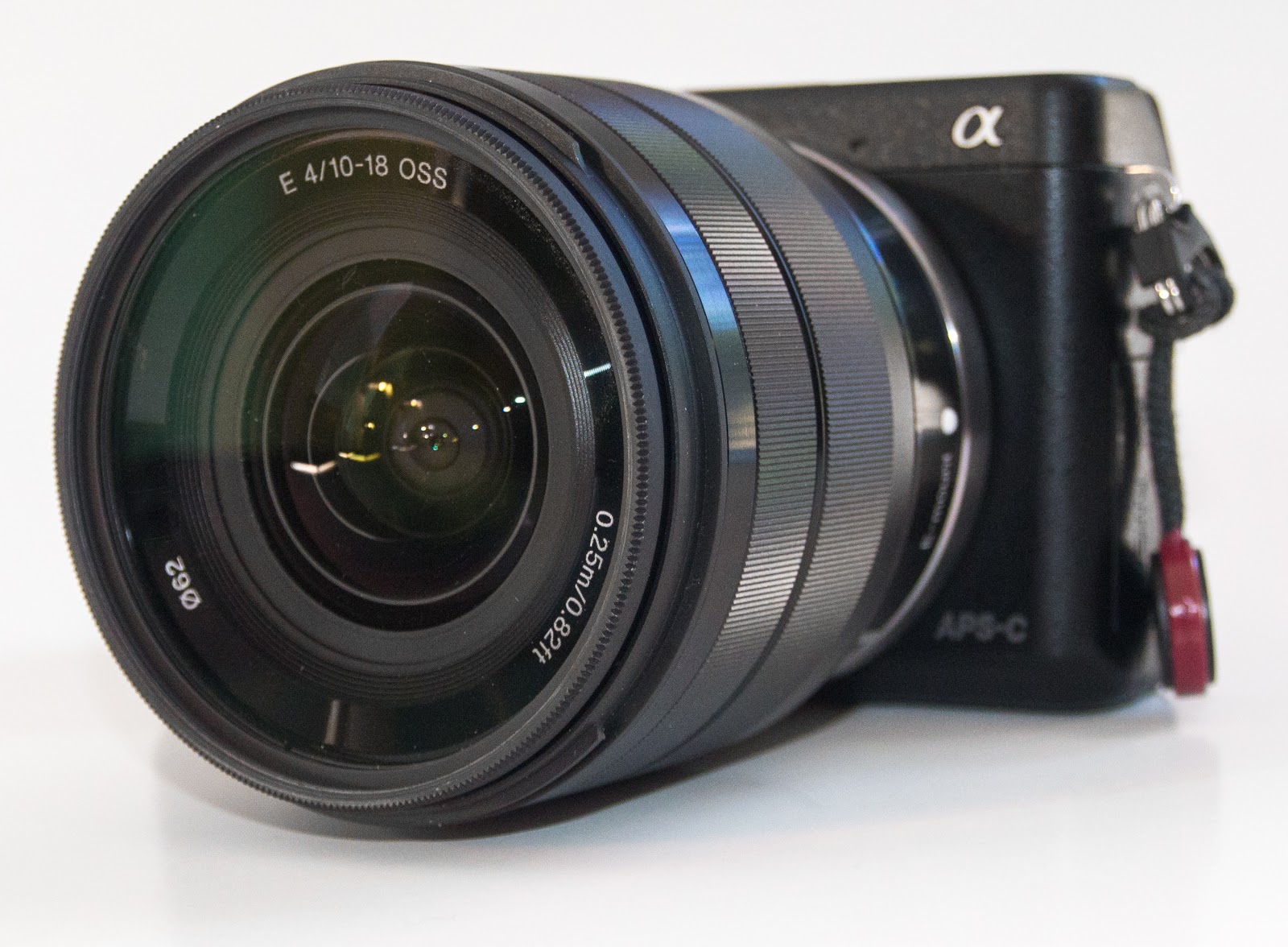
Most of these images were taken with an Olympus OM-D E-M5 using either the 14-150mm zoom or the Panasonic Lumix 20mm f/1.7.  The last one of the Advenir Apartments office was with a Sony Nex-6 and Sony 10-18mm f/4 zoom lens.

Pitter, Patter, Pitter, Patter, Pitter, Patter …… Plop!

I sometimes hear a strange sound as I’m working in my home office: pitter, patter, pitter, patter, pitter, patter … plop.  I stop typing on my computer and look down from the desk to see our little Maltese, Bella, standing there over her favorite toy.  It’s a simple, small piece of red rope from our sailboat with a big knot tied in the middle.  She has an expectant look on her face – a “come play with me” look.
She is all of six-pounds of white, furry, fluff and has more energy than the famous Energizer Bunny.  All tensed up and ready to pounce at the slightest hint that I might be reaching for the toy, she grabs it immediately when I start to bend down to pick it up.  Then, the fun begins.  We’ll play tug-of-war for a few seconds until I either get it away from her or I just let her have it.  If I get the toy, I throw it and the game continues.  If I turn loose, she quickly brings it back to my hand to try and entice me into grabbing and tugging, again.
Sometimes, she’ll stop just a couple of feet from me and, after a few seconds, slowly lower the toy to the floor and drop it, while keeping her mouth just a fraction of an inch away, ready to grab it back if I make my move.  If I slowly inch my hands towards her and then, suddenly, reach for the toy she’ll, sometimes, get so excited that she’ll mistakenly bite my hand instead of the toy, but only for a second until she realizes the toy is getting away.  What fun!  She makes us laugh and smile every day.  🙂
Make sure you take time to laugh and play!

Castle Pines Walkabout with the Sony Nex-6 and 10-18mm Lens

I was up early this morning, about 5:30am, so I grabbed my camera and headed out the door.  These morning excursions usually involve two important decisions:  First, which camera and lens to take, and second, where to go for coffee.

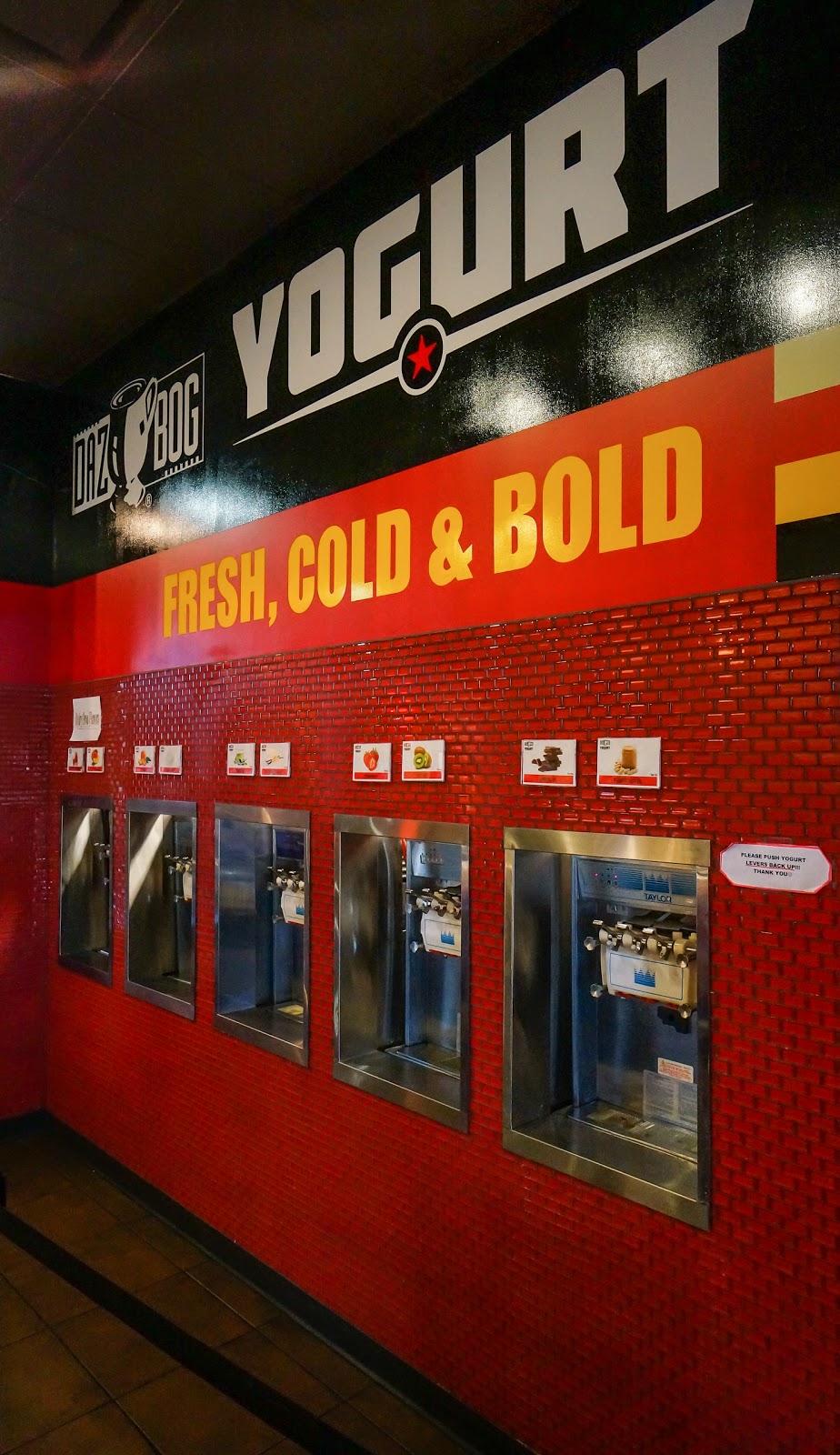
Today, the first was one was easy since I have a new Sony 10-18mm f/4 wide-angle zoom.  The obvious choice was the Nex-6 so I could try out the new lens.  The coffee decision, while never certain until I walk in the door of the coffee shop, ended up being the nearby DazBog coffee shop, only about 1/4 mile away.  Of course, the three Starbucks are also always likely choices since they’re even closer.  🙂 The cool morning air was refreshing and just warm enough to hint at the hot day ahead, but still just the perfect temperature for a morning stroll around Castle Pines.

After getting my first “cup of Joe” and thoroughly diluting it with cream and sugar, I settled in to take a few images with the new wide zoom.  As I shot, it occurred to me how so much of the discussion on the photo websites these days seems to concentrate on fast, sharp lenses that can give you a paper thin depth of field (dof) and thoughts about which of these lenses produces the best, the smoothest, the most pleasing bokeh.  And I don’t disagree that these are important characteristics … for “some” subject matter.  But not all.

What I discovered with this lens, especially at the widest setting of 10mm (15mm FF equiv.) and an aperture of f/16, was that the dof was almost complete.  In other words, just about everything from the front of the lens to the back of the room was in focus, and bokeh was not even a factor.  Nice!  So for interiors, landscapes, and other subjects where you want just about everything in the image to be in focus, this is a great lens.  Some may say, “the f/4 maximum aperture is too slow”.  Well, with this piece of glass, it will probably be a rare occasion to use the f/4 max and much more common to have it at f/11 or even higher to take full advantage of the huge dof.  And since it has built-in image stabilization, you could probably hand-hold this baby down to some very slow shutter speeds.  Like maybe 1/5th of a second or slower.  I’ll have to test this.

As you can tell, I’m very pleased with the lens.  And the coffee?   …… Well, it was great, too.

BTW, if you’re shooting either the Nex-6 or Nex-5R or even thinking about it, check out our e-book about these cameras at:  www.FriedmanArchives.com

Customizing the Olympus OM-D E-M5 – Update – Using the Power Battery Holder

NOTE:  If you’ve upgraded to the E-M1, my post about its setup is here:
http://thrumikesviewfinder.blogspot.com/2014/02/setting-up-olympus-om-d-e-m1-my-way.html

This is the 2nd update to this post, so I hope it doesn’t become too confusing.

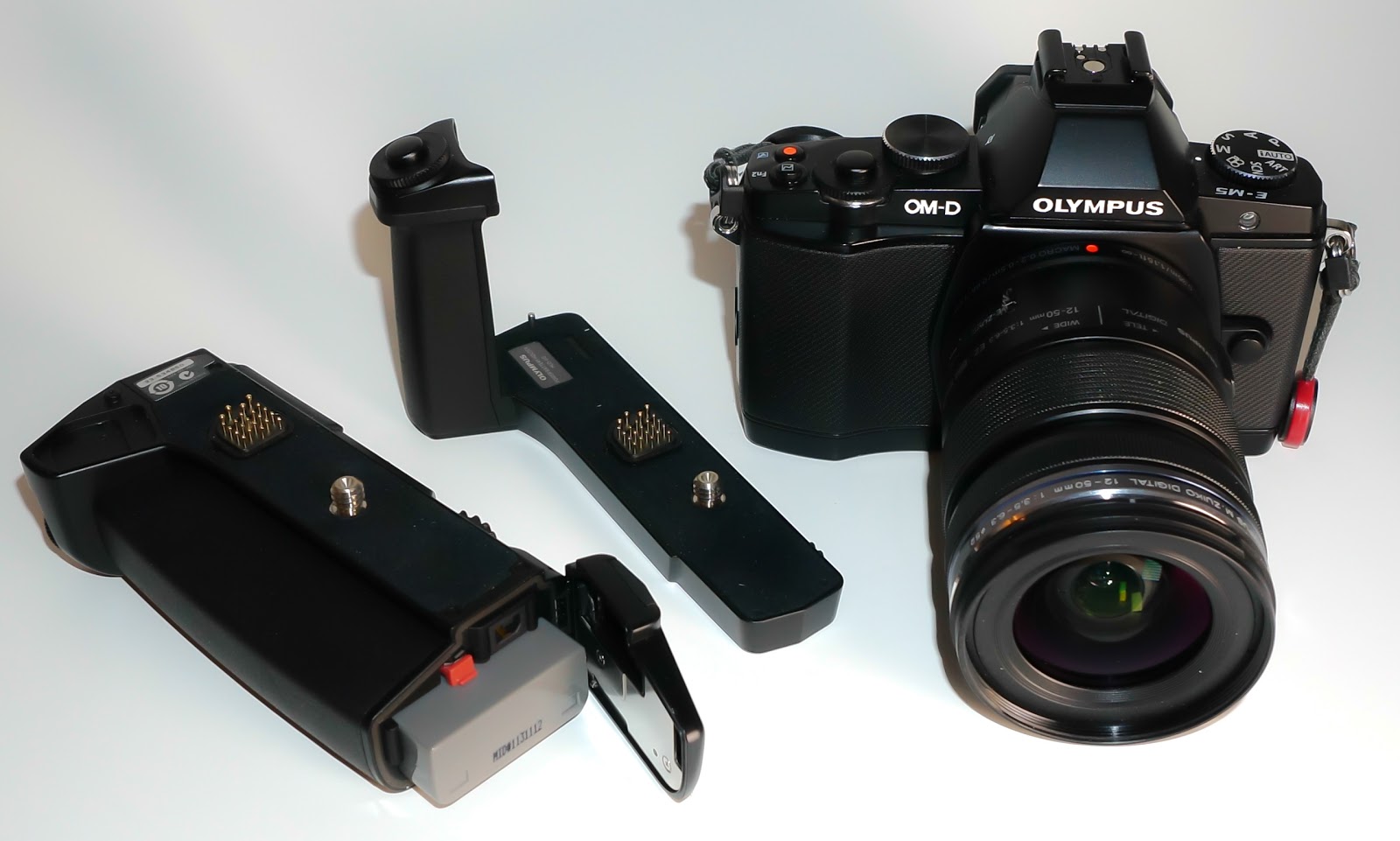
Olympus OM-D E-M5 w/Power Battery Holder (HLD-6)

I love the OM-D … it’s an awesome little camera.  Now, with the Power Battery Holder (PBH) on it, it’s even awesomer!  Bigger, but better.  In a nutshell, the PBH gives a better way to grip the camera with both normal and portrait (vertical) handgrips.  Plus, it allows you to add an extra battery, thereby doubling your shooting time, and it gives you two more customizable Fn (Function) Buttons.

The PBH comes in two pieces, the hand grip and a separate battery compartment which also has the vertical grip and Fn buttons.  Above, you can see the OM-D with both of them mounted.  Below, I’ve shown the camera and the two parts separated.
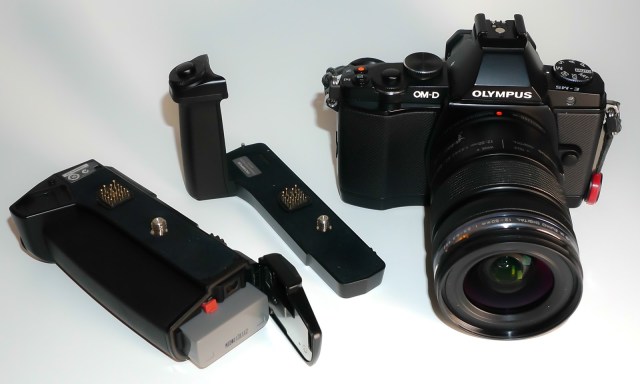
First you add the hand grip to the camera and that is actually my favorite way to use the PBH.  Personally, with the battery holder added it just makes the camera a bit too big and heavy for normal use.  But, when you need the extra power, it’s great.  Below, is the camera with just the hand grip and you can see that it really doesn’t add much height to the camera – only about 7/16″.  But what it does do for you is give you a terrific hand grip wrapped around the right front that has it’s own shutter button and front control dial.  It’s a feel much like the Nex-6 or Nex-7 if you’ve ever held one of those cameras, and it makes the camera very easy to carry.

Now, when you need that extra battery, you just add the battery holder to the bottom of the hand grip (unfortunately, it can’t be added to the camera without the hand grip).  Then, in addition to the extra battery, you’ve just added the vertical grip (with shutter button and front/rear control dials) for doing portrait work, and  two more Fn buttons, B-Fn1 and B-Fn2.  These buttons can be programmed to do totally different things from the other buttons on the camera.  I have mine set so that B-Fn1 moves my AF point to the home position, and B-Fn2 turns on the Digital Tele-converter.

Below, you can see the various controls on the battery holder.

The one switch we haven’t discussed yet is the “Lock” switch.  When in the Lock position, it locks out the Shutter and Fn Buttons on the battery holder to prevent accidental actuation.  And I might add that the shutter button rests directly against the meaty part of my palm so I accidentally actuate it fairly often.  I really, really wish though that Olympus would make it so that it ONLY locked out the shutter button so we could still have access to the two Fn Buttons down here.

Just a couple of more things to know about this:

  1. When it is attached, you must remove it to change the battery that is in the camera.
  2. However, you do have the ability to tell the camera which battery to use first.  So I set it to use the PBH battery first and then I can just change that battery when it gets low, keeping the internal battery in reserve.
This thing is fairly expensive at USD $299, so you have to either really want it or need it.  Plus, it does make the camera considerably larger in bulk and heavier as well.  So while it adds a lot of functionality, it does come with  some costs … monetary and carry-ability.

Previously posted information is below.

_________________________________________________________________

I recently had breakfast with a friend who also has the Olympus OM-D E-M5. We had a good time talking about our experiences using this great camera and sharing some of our own personal settings. As I was talking about the way I had customized the various buttons, it occurred to me that I rarely used the “Video” button which I had set to engage AEL. Instead of pointing the camera in a different direction, engaging AEL, and then reframing to take the shot, I find it so much easier to just look through the EVF and adjust the exposure to where I want it using the “Sub Dial” (the front dial that surrounds the shutter button).

So, I “re-purposed” the video button to engage Manual Focus, a setting that comes in very handy at times. I had previously set my autofocus to the S-AF+MF setting which allowed Single Autofocus with a Manual Focus override if I turned the focus ring on the lens. The problem with this for me was that it is just too sensitive. If I just brushed the Focus Ring, then the display would instantly zoom in (another setting I like for manual focus), requiring me to wait a few seconds for it to return to normal so I could compose the shot.
So now, my normal Focus mode is S-AF (Single Autofocus). However, if I feel the need to use Manual Focus (macro for instance), I merely push the video button to engage MF and then as soon as I turn the focus ring, the camera digitally zooms in for me (I usually use the 5x setting) so I can fine tune the focus before shooting. Then, one more push of the Video button puts me back in my normal Autofocus mode of S-Af.
I rarely shoot video, so this works well for me. If you frequently shoot video, then it may not be the best setting for you. That’s a part of the beauty of the Olympus OM-D E-M5 … there is so much flexibility in the way it’s various buttons can be customized so that it “works your way”.
_________________________________________________________________
The menus of the Olympus OM-D E-M5 present a deep, but well organized hierarchy of all the functions and settings that can be changed on this camera, and there are many. Some have written that it is too complicated, but my feeling is that this complexity is what allows us the ability and freedom to customize this camera to our own personal taste. So while it may take a bit of study to figure out exactly how to set it up to your liking, the end result is well worth it.
I’m not going to delve into all of the available settings, just the ones that affect the various, customizable buttons and make our lives as photographers easier.  So, let’s start on top:

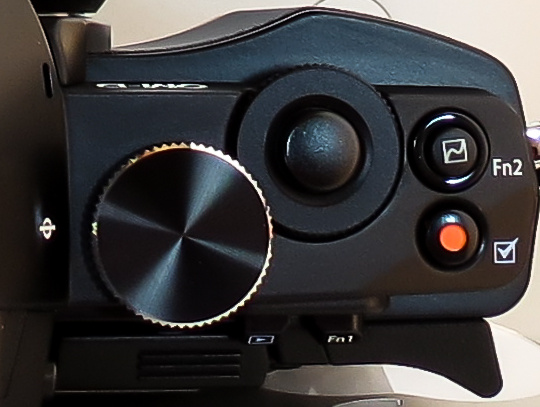
I’ve set the Fn2 button as the “Home” button and it moves the AF point back to center which is where I use it about 90% of the time. This way, on those rare occasions when I move the AF point around the screen, it only takes one quick push of Fn2 to get it back to center.
I almost never take movies, so I’ve rededicated the “Record” button as my AEL button, and further customized it to use Spot Metering when AEL is invoked this way. Plus, I’ve set it so that it takes one push to set AEL and another push to deactivate it.

On the back of the camera, I’ve set the “Arrow Function” keys to Direct Function. The default setting for these arrow keys is to move the AF point around, but they are “hot” all the time and I kept inadvertently moving them with my thumb. The Direct Function setting allows me to use the Right Arrow to bring up the ISO menu for quick changes, and the Down Arrow to change the Drive Settings, which I frequently use. Also in Direct Function, the Left Arrow will activate the AF point selector so you can move the point around to any of the 35 points or select All Points which allows the camera to automatically select a point based on what it perceives in the photo. Lastly, the Up Arrow activates the ability to set Exposure Compensation using the arrow keys … but this is a waste for me since I always use the Front Dial for this.

The other change I’ve made back here is to the Fn1 Key which I set to activate “Myset1”. The E-M5 allows us to memorize 4 different sets of camera settings for different situations. So far, I’ve only set Myset1 to be used for AEB (Auto Exposure Bracketing).
Here are the other major settings that are called up when I press Fn1, activating Myset1:
  • Aperture Mode
  • ISO 200
  • Sequential High Speed (9 fps)
  • AEB set to bracket 5 images with 1 EV spacing between each one
This way, any time I get the opportunity to shoot an HDR (high dynamic range) image, I can push (and hold) Fn1, and fire off 5 quick bracketed shots. Then, as soon as I release Fn1, I’m back to my original settings.
Of course, all of these settings are easy to change so don’t feel like you have to get it set exactly right the first time. Go ahead, make some changes and experiment a little. Soon, you’ll figure out what works best for you.
Note to Olympus: I sure wish you would make the Fn1 Button cycle through the 4 Myset settings so we could easily jump from one to another instead of having to use the menus to choose the one we want. I think it would be much more useful this way.
Photography … Possibility … Acceptance … Creativity … Reality

I started life as a mere child … no, really, I did.  Sometimes (okay, often) my wife claims that not much has changed in that regard … but she loves me anyway. ☺

Sometimes, though, I think that a child’s curiosity, that lack of fear of trying the unknown, and open-minded acceptance of possibilities can be very helpful to us as photographers. Approaching photography with that mindset can allow us to experiment and not be afraid that “it can’t be done”, because most likely … it CAN be done. Or, we think “they” might not like it, whoever “they” are. The point is we have to put aside those questions of possibility and acceptance and just do it. If it’s really not possible well then at least we tried. If they don’t like it, so what. If I like what I’ve done, then the most important criteria has been met.

Our equipment is getting better and more capable all the time and software advances are giving us the tools to be able to stretch the boundaries of creativity, even distort reality if we want to. But isn’t that what “art” has been through the centuries? Creative people bending reality to their will in paintings, and sculptures, and even drawings on the walls of caves.

Plus the walls of communication are gone so that virtually any photographer anywhere in the world can almost instantly share a new image with anyone who is watching. Not only are these millions of photographers sharing images but they are adding to our pool of knowledge and technique and all of this is literally at our finger tips.

So, let go of those inhibitions, grab your camera, and get out there and be an “artist”.

Around the Town in Castle Pines

Tom T. Hall did a great song, a classic, titled “I Like Beer” … and I do!  🙂  My current favorite is a local beer, Fat Tire Amber Ale, brewed by New Belgium Brewing Co. up in Ft. Collins, Colorado.  However, I do occasionally drink some Bud Light … once in a blue moon.  Actually the Blue Moon beer is quite good, too.

We’ve cut back to just one car, so when my wife is using the car I end up going for walks around our small community.  What surprises me is how different things can look from one day to the other.  Something that I walked by without even seeing a few days ago might make an interesting photo today, at least for me.  And, of course, with the change in the weather from winter to summer (overnight, it seems), there are some things like the blue umbrellas that weren’t even there a day or two ago.  I guess that’s one thing that keeps photography so interesting, the endless variety and continually changing landscape.

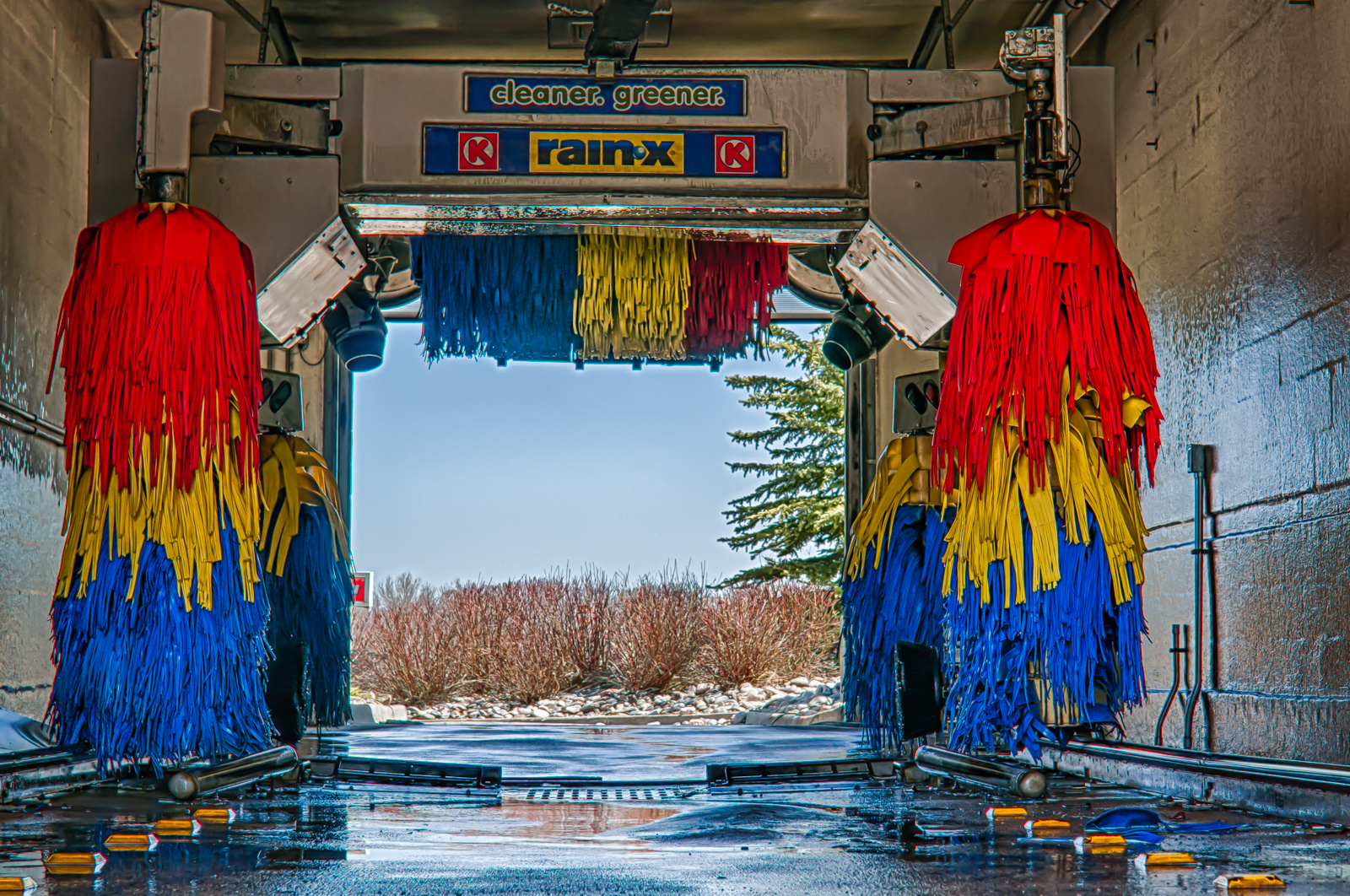
Inside one of the local automated car washes, done in HDR with the Sony NEX-6.  (Three exposures with ± 3.0 EV. )  This was not done with the Auto HDR, but I took the three shots and processed them in Nik HDR Efex Pro and Lightroom 4.

The top and bottom two shots in this post were all with the Olympus OM-D E-M5 and Olympus 14-150mm lens.

I headed over to the Circle K to get a cold drink refill and saw they were also refilling the gas tanks.  It was such a colorful truck I couldn’t resist.
I liked the quote that you can see just above the umbrella:  “Take these words, like seeds, and sow them that they may grow your mind.”